

Filter
-
 Visa Custom - Photo Gift Card$10 - $500
 -
 Visa Custom - Logo Gift Card$10 - $500
 -
 American Express® Custom Gift Card - Logo$25 - $500
 -
 Mastercard® Custom Gift Card - Photo$10 - $500
 -
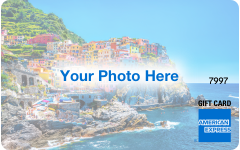 American Express® Custom Gift Card - Photo$25 - $500
About Custom Gift Cards
When you want personalized Gift Cards that are simple and special, our Gift Card marketplace is your destination. With a selection of custom Visa Gift Cards for any occasion, custom Mastercard Gift Cards styled with sophistication or custom American Express Gift Cards, you can easily create a gift that stands out. These thoughtful custom gifts are flexible with eGift and physical Gift Card options for sending on your schedule and spending how and when the recipient prefers.
Use a Visa Custom Gift Card with the photo of your choice to celebrate birthdays, weddings and more. Deliver a special message with a hand-picked photo Gift Card with ultimate flexibility.
Create an American Express Custom Gift Card with the image of your choice. You can also pick an American Express Digital Custom Gift Card with a custom photo to create your own Gift Card with a personal image on this digital option.
Mastercard Custom Gift Cards are another popular choice with custom photo options. Send a polished present with a personalized Gift Card for the most elegant occasions or as an unforgettable gift anytime.
At The Gift Card Shop, we offer custom Gift Cards for every occasion. From special sayings to heartfelt designs with meaningful photos, our physical and digital custom Gift Cards are sure to stand out. Choose a meaningful photo or special message for thoughtful gifts that show how much you care.
Custom Gift Cards FAQs
What do you need to have ready to create a custom Gift Card?
You’ll want to have these items prepared to create your own Gift Card:
1. Image in a JPEG or PNG format with a maximum size of 10 MB
Please note: The recommended size is 1016x642px
2. Recipient’s email for digital Gift Card delivery or mailing address for physical Gift Card shipping
3. Desired Gift Card value
4. Personalized gift message, if you’d like to add a special touch
How do you use your custom Gift Card in-store?
Custom Gift Cards offer flexibility, letting recipients spend the card where they choose.
To use a custom Gift Card, follow these steps:
1. Be sure to know your balance before you shop. To use your custom Gift Card along with another form of payment, just tell the cashier how much you want to apply to each payment type.
Please note: Not all merchants allow split payment transactions, and some transaction types require a hold of up to 20% above the purchase amount. See your Cardholder Agreement for more information.
2. Swipe your Card and select ‘Credit’ on the keypad.
What are the options for sending a digital custom Gift Card?
You can send custom eGift Cards instantly to arrive typically within 5 minutes, or you can select a Send Date up to schedule delivery up to six months in advance for upcoming events.
What are the shipping options for physical custom Gift Cards?
You can ship your custom Gift Card Standard – USPS to arrive in 5-6 business days, Expedited – FedEx in 3-4 business days or Rush – FedEx in 2-3 business days.
Can you customize branded Gift Cards?
No, you cannot create custom branded Gift Cards at The Gift Card Shop. You can only create a custom Visa Gift Card, custom Mastercard Gift Card or custom American Express Gift Cards.
How do you use your custom gifts to shop online?
1. Make sure the balance of the Gift Card is more than the entire cost of the purchase, including taxes.
Please note: Some transaction types require a hold of up to 20% above the purchase amount. See your Cardholder Agreement for more information.
2. Select ‘Credit’ or ‘Debit’ as the payment method (Do not select ‘Gift Card’).
3. In the Payment Method section, enter the card information as you would a credit or debit card.
4. In the Billing Address section, please fill in your name and address.
How do you create your own custom Gift Card?
At The Gift Card Shop, we make it easy to create custom Gift Cards online in just a few clicks:
1. Visit our Custom Design Page to find photo Gift Card options from Visa, Mastercard and American Express or the Amex Gift Card.
2. Click on Upload choose your image.
3. Choose the delivery method in the “Send By” tab at the top — either Mail (Plastic Gift Card) or Email (eGift Card).
4. Select the Card Value to assign to the Gift Card.
5. Type in a gift message for extra personalization.
It’s that simple! Follow these streamlined steps to create your own Gift Card and send a special wish on any occasion.