

Filter
-
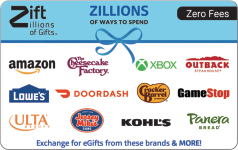
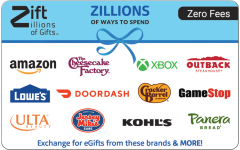 Zero FeesZillions - Zift eGift Card$20 - $500
 -
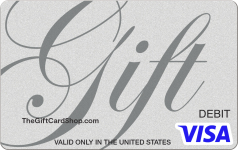
 Visa® Silver eGift Card$10 - $500
 -
 Visa® Digital Custom Gift Card - Photo$10 - $500
 -
 American Express Digital Custom Gift Card - Logo$25 - $500
 -
 Visa® Air Mail eGift Card$10 - $500
 -
 Visa® Passport Fun eGift Card$10 - $500
 -
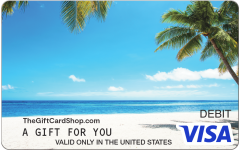 Visa® Tropical Beach eGift Card$10 - $500
 -
 Visa® Travel Journal eGift Card$10 - $500
 -
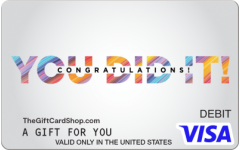 Visa® You Did It eGift Card$10 - $500
 -
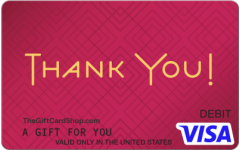 Visa® Red Diamonds eGift Card$10 - $500
 -
 Visa® Fancy Congrats eGift Card$10 - $500
 -
 Visa® ConGRADulations eGift Card$10 - $500
 -
 Walmart$5 - $500
 -
 Target$5 - $2,000
 -
 Visa® Puffy Balloons eGift Card$10 - $500
 -
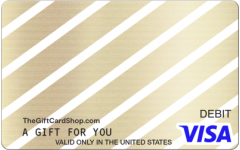 Visa® Gold Diagonal eGift Card$10 - $500
 -
 Zero FeesWith Love - Zift eGift Card$20 - $500
 -
 Visa® Thanks Angled eGift Card$10 - $500
 -
 Sephora$5 - $250
 -
 Visa® Congrats Multi eGift Card$10 - $500
 -
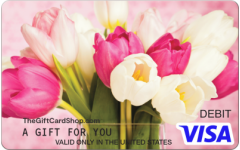 Visa® Bouquet of Tulips eGift Card$10 - $500
 -
 Zero FeesA Treat for You - Zift eGift Card$20 - $500
 -
 Mastercard® Floral Enjoy eGift Card$10 - $500
 -
 Visa® Thanks Bunch eGift Card$10 - $500
About Digital Gift Cards
When it comes to versatility, Visa®, Amex and Mastercard® eGift Cards are your go-to premium virtual Gift Cards that come in a variety of styles, from classic to festive. We also feature a wide selection of top brands so you can hand-pick their favorites for an unforgettable gift. If you’re unsure of their preferred brands, the Zift Zillions eGift Card is a no-brainer choice with multi-brand redemption and zero fees, making for maximum flexibility. With a wide selection of options, almost-instant delivery and no hidden fees, TheGiftCardShop.com is your best and most trusted source for email Gift Cards. From Visa to Zift, find every eGift Card you need, all in one place.
Need some gifting inspiration? Check out these ideas to get started:
• Make it personal with custom eGift Cards. You choose the photo and deliver a uniquely special gift.
• Pick a much-loved brand and send the Gift Card directly to their inbox so they can treat themselves.
• Explore fee-free Zift eGift Cards, redeemable for a range of top brands, for premium flexibility.
• Order classic Visa, Mastercard and Amex eGift Card styles to celebrate any occasion.
Still debating your gift? Our digital Gift Cards are a great choice with loads of benefits.
• 500+ eGift options: Wide variety of eGift Cards including Visa, Amex, Mastercard, and Zift.
• Fast delivery: Speedy delivery with nearly instant Gift Cards, as most will arrive within 5 minutes of ordering.
• Zero hassle: When you buy virtual Gift Cards online at TheGiftCardShop.com, it’s a stress-free experience even after you’ve made a purchase with options like a self-service resend and forward.
• Secure shopping: TheGiftCardShop.com is a reliable brand you can trust with state-of-the-art security to help keep funds safe.
• Scheduled delivery: Designate a date to send your email Gift Card up to six months in advance.
Virtual Gift Cards FAQs
How do you activate an eGift Card?
Digital eGift Cards arrive active and ready to use. You do not need to activate an eGift Card.
How do I check my eGift Card balance?
To check the balance of your eGift Card, visit our official digital Gift Card balance checker.
Where can I use my eGift Card?
eGift Cards can be used almost anywhere traditional debit or credit cards are accepted. Most brand email Gift Cards can be used at the merchant’s retail locations and online at the retailer’s website. However, since every retailer is different, please refer to their specific terms and conditions found on each retailer’s product page prior to purchasing their Card.
If Add to Wallet is an option on your Card, American Express, Visa and Mastercard eGift Cards may be used for contactless payment via digital wallets including Apple Pay, Samsung Pay, and Google Pay.
American Express eGift Cards
You can use your American Express eGift Card virtually anywhere American Express Cards are accepted within the United States and District of Columbia, except the Amex eGift Card may not be used for recurring billing or at ATMs.
Visa eGift Cards
You can use your Visa eGift Card virtually anywhere Visa Cards are accepted within the United States and District of Columbia, except the eGift Card may not be used for recurring billing or at ATMs.
Mastercard eGift Cards
You can use your Mastercard eGift Card virtually anywhere Mastercard Cards are accepted within the United States and District of Columbia, except the eGift Card may not be used for recurring billing or at ATMs.
Can I use Visa, Amex or Mastercard eGift Cards on Amazon?
Yes, you can use many eGift Cards on Amazon. Simply follow the steps as you would with other online merchants:
1. Make sure the balance of the eGift Card is more than the entire cost of the purchase, including taxes.
2. Select ‘Credit’ or ‘Debit’ as the payment method (Do not select ‘Gift Card’).
3. In the Payment Method section, enter the Card information as you would a credit or debit card.
4. In the Billing Address section, please fill in your name and address.
Can you add money to an eGift Card? Can you add money to an eGift Card?
No, our eGift Cards are not reloadable. But you can always purchase additional digital Gift Cards if desired.
Why isn't my eGift Card working?
There are several reasons an eGift Card may not be working. Insufficient balance or merchant issues may be the cause.
Do eGift Cards expire?
No, eGift Card funds do not expire. Visit our cardholder agreements to learn more.
How do I resend an eGift Card if the recipient didn’t receive the email?
If the recipient did not receive the eGift Card email, you can resend the email on our website. Click Track Order and either log in or enter your email address used to order. Click My Orders under My Account. Once you’ve located the purchase, you can resend the email.
Can I schedule an eGift Card to be delivered on a future date?
Yes, you can place an order today with a scheduled delivery date in the future.
You can view your scheduled delivery date on both your order confirmation email and on the Track Order Page.
If you do not add a scheduled date when placing your order, your order will be fulfilled immediately.
When will I be charged for my scheduled eGift Card delivery?
You will be charged for your order on the delivery date you selected, not on the date you placed the order.
How far in advance can I schedule an eGift Card delivery?
Your scheduled digital Gift Card delivery date can be up to six months in the future.
When will my scheduled eGift Card be delivered?
Your scheduled eGift Card will be sent between 5:00 am and 9:00 am EST on your scheduled date. You will receive an email titled “Your Order Is On Its Way” when we send the eGift Card to your recipient.
Can I cancel a scheduled eGift Card delivery order?
Schedule eGift orders can be canceled up to one day before your scheduled date. You can cancel the delivery using the Track Order Page.
Can I place an order with a scheduled eGift Card and a non-scheduled card?
You cannot order a scheduled eGift Card and a non-scheduled card in the same order. Please place separate orders if you need a scheduled and non-scheduled card.
Can I schedule eGift Cards to be delivered on multiple days?
No, you cannot have digital Gift Cards with multiple scheduled delivery dates in one order. Please place separate order(s) if you have multiple scheduled delivery dates.
Can I change the date of my scheduled eGift Card delivery after my order is placed?
Once a scheduled delivery date is chosen and the order is placed, the date cannot be updated.
How do I use an eGift Card online?
Follow these steps to use your eGift Card online.
1. Make sure the balance of the eGift Card is more than the entire cost of the purchase, including taxes.
Please note: some transaction types require a hold of up to 20% above the purchase amount. See your Cardholder Agreement for more information.
1. If you're using a Visa, Mastercard or American Express Gift Card, select ‘Credit’ or ‘Debit’ as the payment method (Do not select ‘Gift Card’). If you're using a brand Card, refer to the specific Card's redemption instructions.
2. In the Payment Method section, enter the Card information as you would a credit or debit card.
3. In the Billing Address section, please fill in your name and address.